
Free Countdown Timer for Webinars
A better alternative to spreadsheets and external online timers for webinars.
Stagetimer replaces 4 different apps and browser windows. Keep your webinars on time easily with the agenda, countdown timer, messaging, and audience questions in one cloud-based platform. Also available for Windows and Mac.
No credit card or signup required

Great webinars are well-planned and on time
All the features you need to plan and stay in control of the agenda
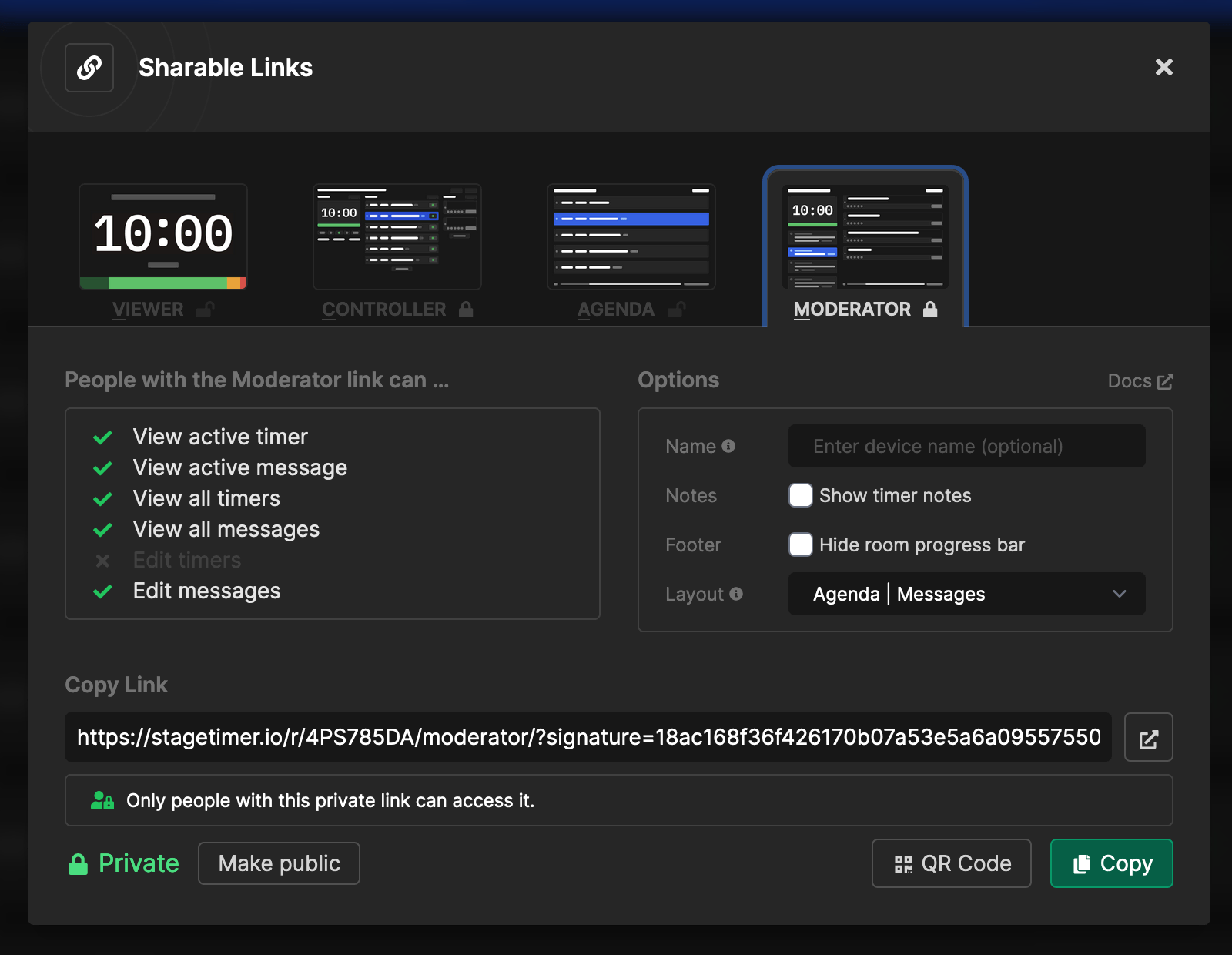
Collaborate with anyone remotely
Whether you’re planning a panel discussion, Q&A, single-speaker presentation, or interview - you can plan the agenda, rehearse, and keep track of timings in one place.
Just share a secret link with your team and presenters so they can collaborate and manage the timers remotely.
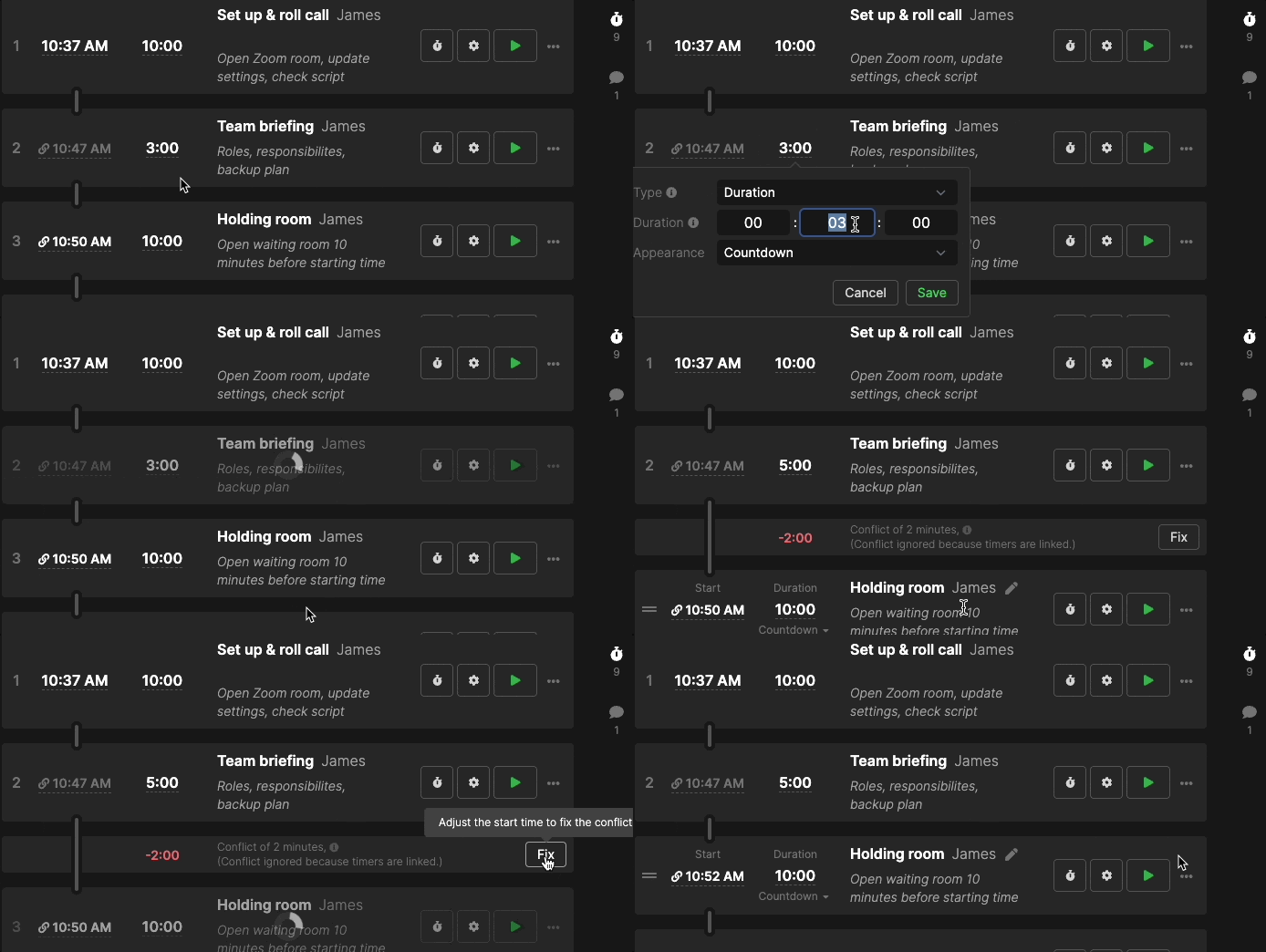
Handle delays and live changes with ease
With Stagetimer, handling over or under-runs to your webinar is as easy as updating the timer. Automatic time calculations instantly reflect new timings across all devices.
Need to add, remove, or change a segment? Just drag-and-drop timer blocks. The timer syncs with all changes, so you don’t have to do extra work.
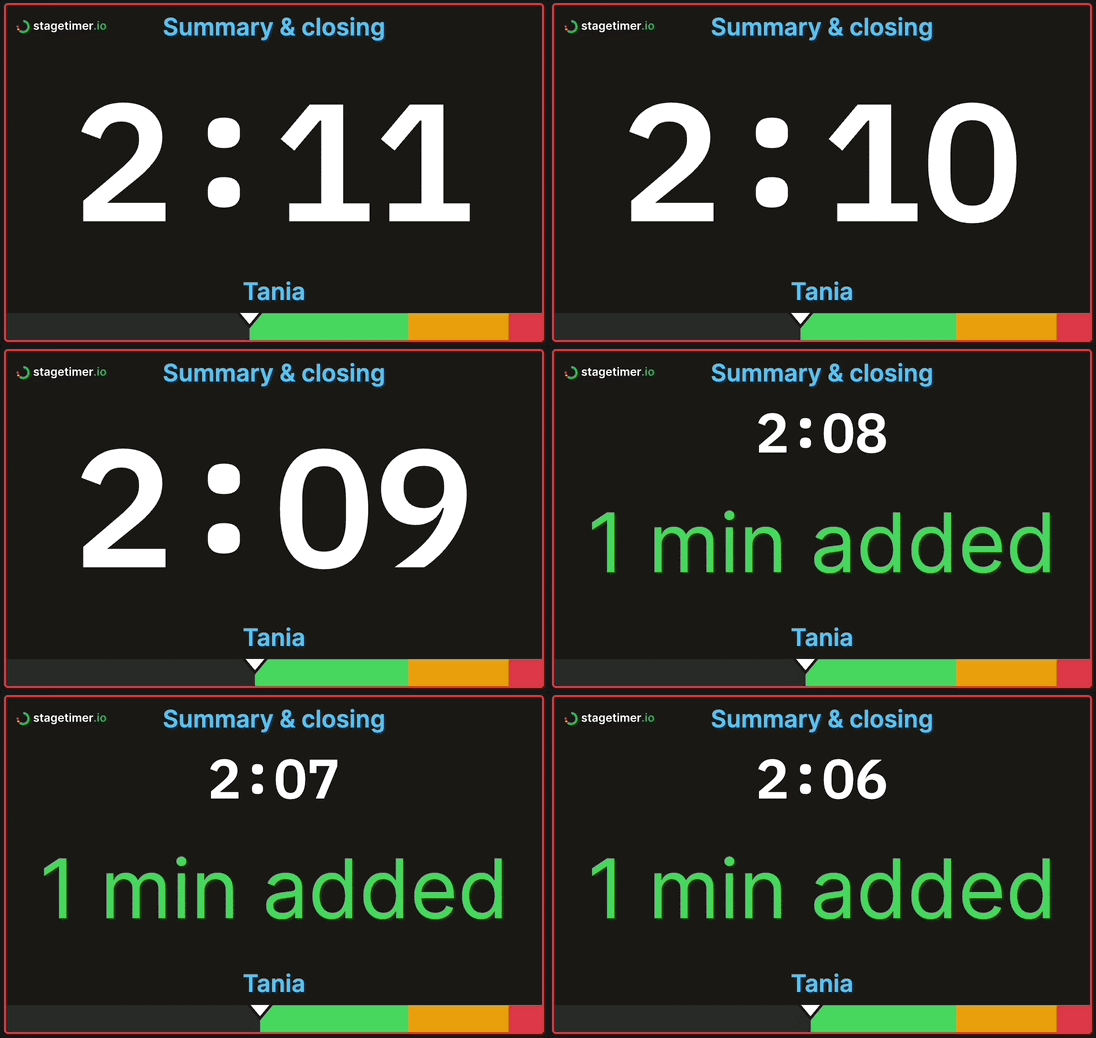
Send messages directly to presenters
Avoid the risk of messages getting missed! Send direct messages to presenters that show up alongside the countdown timer. Moderators and timekeepers can prompt presenters to wrap up or signal transitions. Show or hide messages as needed.
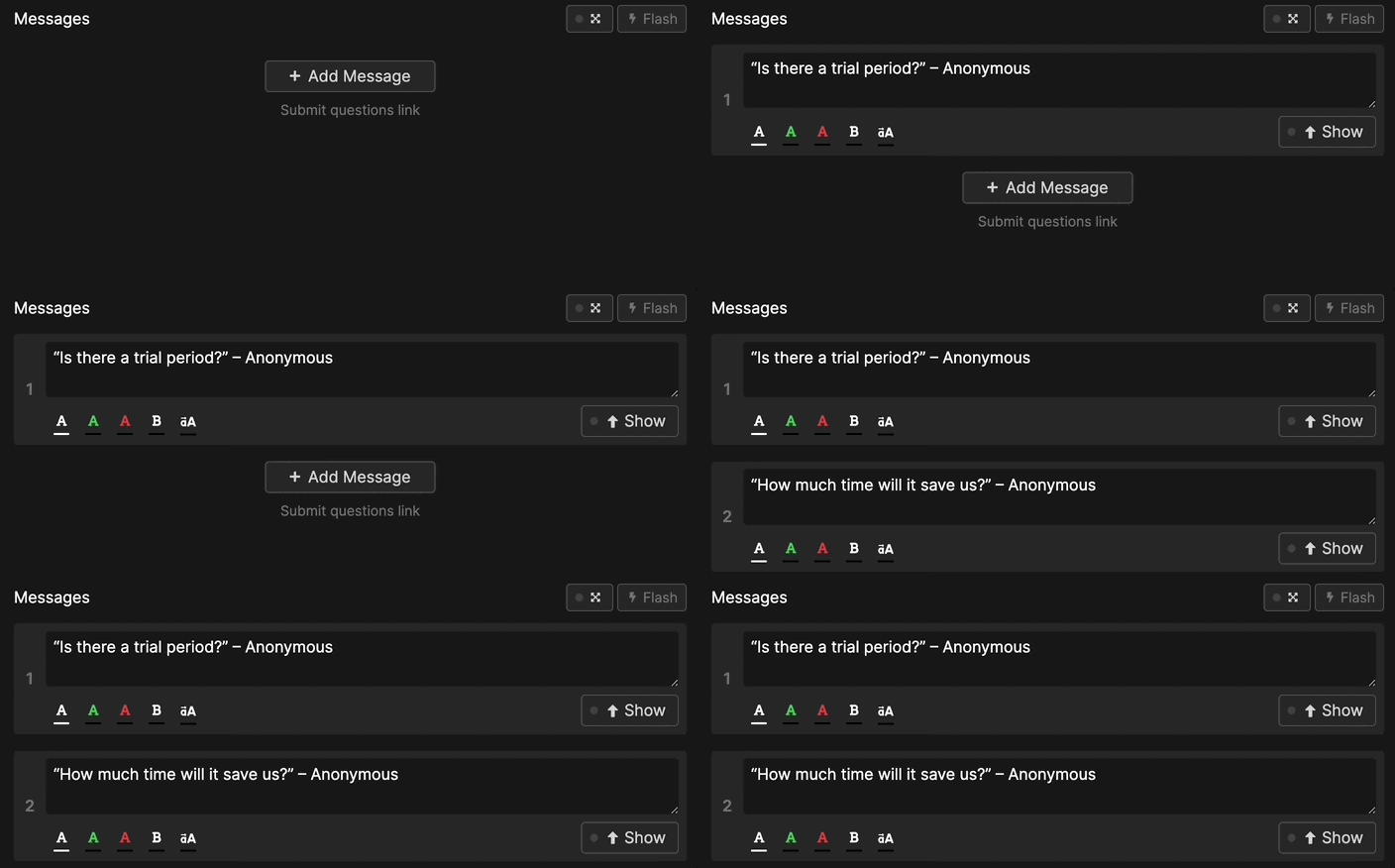
Live audience Q&A submission
Take questions from a live audience. The built-in question submission feature generates a unique link and QR code for participants to submit their questions. Moderate the submissions, reorder and show them one at a time to the presenter.
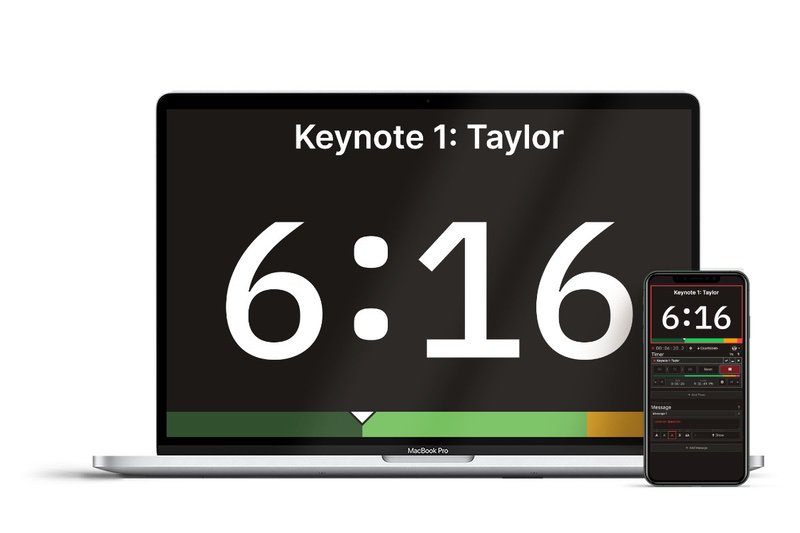
Works on any device
Stagetimer runs in the browser and can be used alongside all webinar platforms. No need to download or install additional software.
Colleagues and co-hosts can easily follow the agenda and timer on their mobile devices or laptops. Supports multi-time zones.
Only hosting a few webinars?
If you're running ad-hoc or seasonal webinars, avoid getting locked into yearly plans or bulky software with unnecessary features!
Get a 30-day Pro or Premium license. All the features you need with no subscriptions to cancel.
What customers love about Stagetimer

Nou Nou Naouar
Project Coordinator at People

Luke Stein, Ph.D.
Finance Professor at Babson College

Jacenda Gilman
Administrative Assistant at Purdue University

Anthony Horner
Technical Director at a performing arts venue
Leave error-prone formulas and manual time calculations behind
A flexible webinar timer and agenda for virtual events and live or pre-recorded webinars.
Download the free webinar agenda template here.
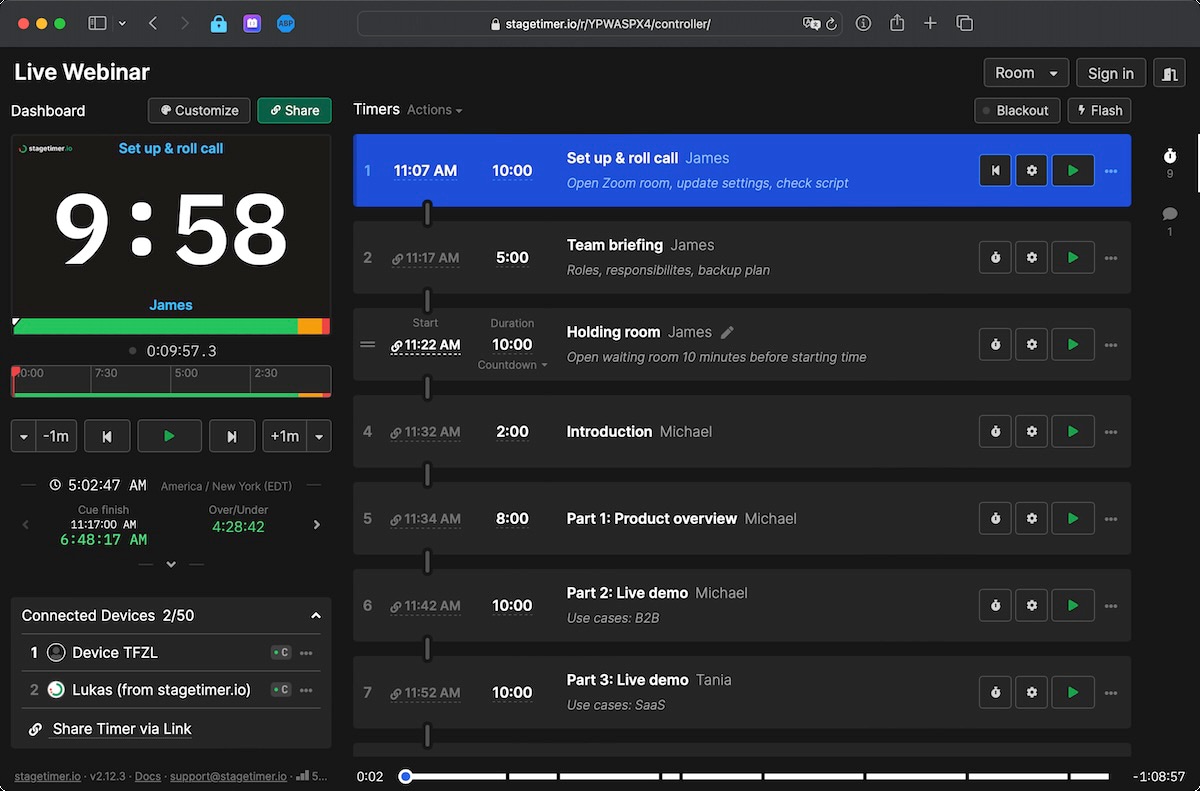
Stagetimer replaces spreadsheets, isolated timers, and chaotic messaging across multiple apps.
Pricing
We have plans to suit various budgets and needs. The starter plan is always free and has zero ads.
Starter
Pro
Premium
Enterprise
Desktop App Lifetime License
One-time purchase
Frequently asked questions
Can I program or schedule the webinar timer?
Yes.
You can program Stagetimer by scheduling multiple timers or linking them together so that one starts right when the other one ends. This feature is available on the web version, as well as the Windows and Mac versions. You can also start a timer at a specific time and date by clicking the gear icon on the individual timer, selecting the "Scheduled" trigger, and choosing a time and date. If the time has already passed, the date will be automatically set for the next day. This automation tool is useful for creating a series of timed events or presentations.
Can attendees send questions to the presenter?
Yes.
Simply share the link or QR code available on the controller page (right under the message column) and your audience will be able to send questions that will automatically turn into messages. You can then edit and reorganize the order of the messages and show them one at a time to speakers.
Can I use Stagetimer for free?
Yes.
You can use Stagetimer for free. The free version of Stagetimer allows you to use all of the basic features, including creating and running timers, scheduling timers, and linking timers together. However, the free version does not include access to the Pro and Premium features, such as additional customization options, importing and exporting timer data, and real-time control of timers from more than three devices at the same time.
What payment options are available?
We offer two ways to access paid features: a 30-day license with no automatic renewal (your account reverts to the free version when it expires) and a yearly subscription that renews automatically but can be canceled anytime. We do not currently offer a monthly subscription. Self-checkout payments can be made via credit card or PayPal, with a receipt generated automatically. For enterprise deals, payment via invoice is also available.
How do I contact support?
You can reach us at support@stagetimer.io for any technical questions or support inquiries.
Can I use Stagetimer with any device?
Yes.
You can use Stagetimer with any device that has an up-to-date web browser. This includes desktop computers, laptops, tablets, and smartphones. Stagetimer is a web-based application, so you do not need to download or install any software to use it. Simply visit the Stagetimer website in your web browser and you will be able to use all of the features of the web version. You can also use Stagetimer offline on a Mac or Windows computer by downloading the desktop app.
Can I share the event agenda with others?
Yes.
Every room comes ready with a shareable agenda link for your attendees to access anytime. You can also send collaborative links to team members and delegate administrative tasks during events.
Is Stagetimer available in languages other than English?
The Stagetimer interface is currently only available in English. Support is also provided in English only. However, the product is used by teams worldwide and the interface is designed to be intuitive regardless of language background.
What is the difference between Rooms and Live Connections?
A Room is where you create and manage a list of timers for your event. Live Connections are the number of devices connected to a room at the same time. On both Pro and Premium plans, you can create unlimited rooms. Pro allows up to 5 live connections per room, while Premium allows up to 50.